Projects
Keep track of what you're working on, who's involved and what happened.
On this page
A project gathers its notes, tasks, documents and people in one place, with a running record of what happened. Press G then R to get to Projects.
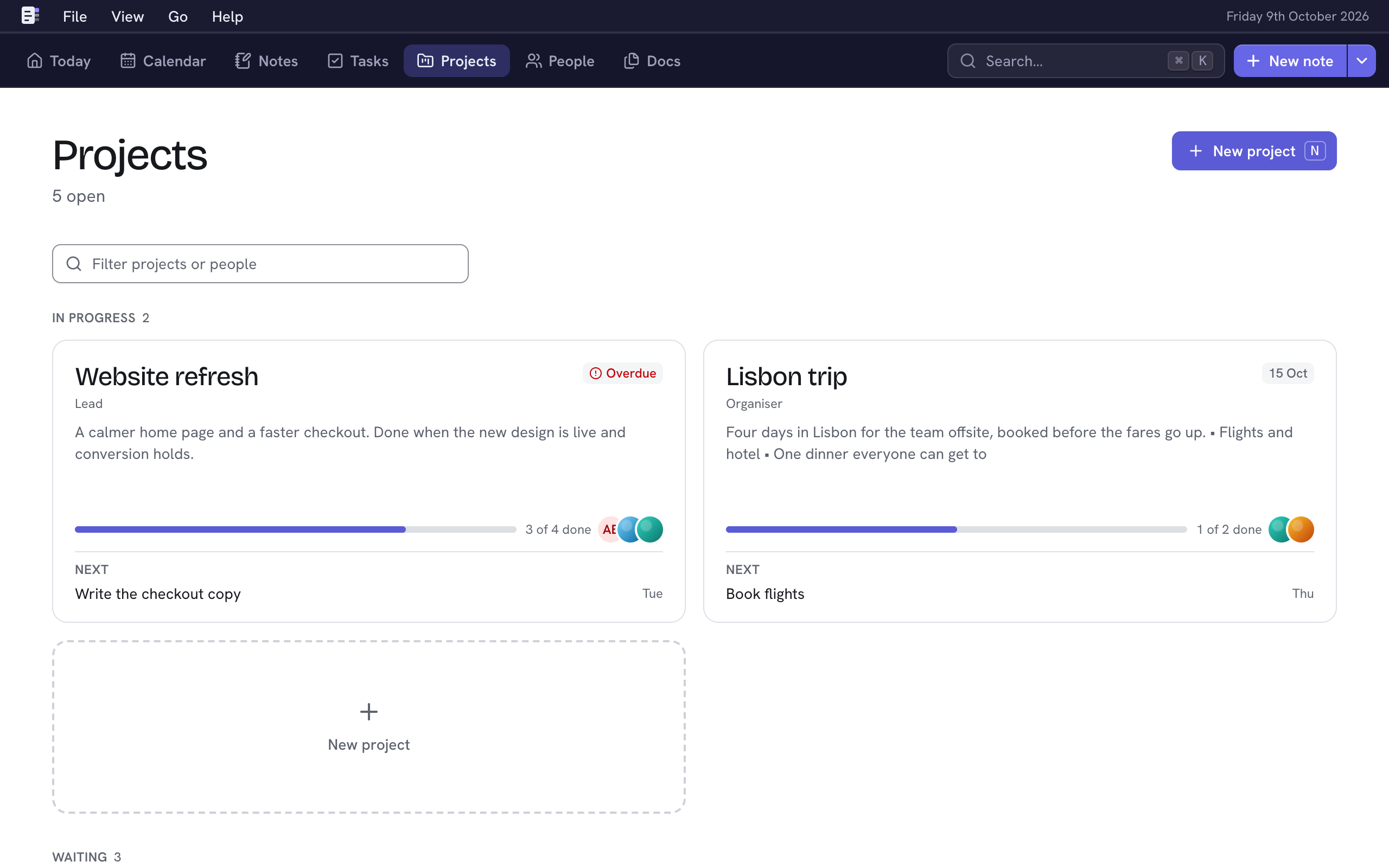
Start a project
- Press ⇧R anywhere, or choose New project (N) in Projects.
- Type its name.
- Choose Add project (⌘↵).
Its page opens. Choose Edit description to say what it's for and what done looks like.
Find a project
Projects are grouped by status:
- In progress: active projects as cards, each with its progress and next task.
- Waiting: planned and on-hold projects.
- Finished: done and cancelled ones, folded away. Choose Finished to see them.
Type in Filter projects or people (F) to match names, your role or the people on a project. ↵ opens the first match; Esc clears it.
A project's page

The tabs hold what's linked to it:
- Activity: what happened, newest first: notes, completed tasks, linked documents, and changes to status, deadline and people. Add a note about… (N) starts a note that references the project.
- Notes: notes that reference it. Type ^ and its name in any note to add one. See Mentions and tags.
- Tasks: its tasks, then Completed. New task (⇧T) adds one. See Tasks.
- Documents: PDFs linked to it. Choose one to view it. Link existing… or Upload PDFs adds more, or drop PDFs anywhere on the page. See Documents.
The details beside them each have a key:
| Section | Key | Holds |
|---|---|---|
| Status | S | Where it stands, since when, and how many tasks are done. |
| Dates | D | Start date and Deadline, both optional. |
| People | A | Who's on it, each with an optional role. |
| Details | My role, a Reference (its ID elsewhere, such as JIRA-123) and a Link. |
Status
Choose the status badge (S) and pick one. It saves at once.
| Status | Shows under |
|---|---|
| Planned | Waiting |
| Active | In progress |
| On hold | Waiting |
| Done | Finished |
| Cancelled | Finished |
Deadlines
An open project's deadline reads "Due Friday", "Due in 12 days" or "Overdue". The four nearest show on Today's Deadlines tile, and deadlines and start dates show in the Calendar.
People on a project
- Choose + beside People (A).
- Pick a person and, if you like, type their Role.
- Choose Add person (⌘↵).
Choose the pencil beside someone to change their role, or Remove from project. They stay in People.
Change or delete a project
- Edit project (E) renames it.
- The bin icon, Delete project, deletes it with its description and tasks. Its people stay, and references to it in notes become plain text. You can undo for 20 seconds (U).